Decide what to buy in one table, not twenty tabs.
Say what you're buying and what you won't compromise on. Comparagon finds the contenders, looks up every spec that matters with its source, and shows which ones meet your must-haves. You cross them off until one is left.
You're on the list
Got it, thank you. While you wait, vote on what we build next or tell us what would make you switch.

Everything you found out, in one place
A big purchase takes a few evenings. Comparagon keeps what you asked for, how each option scored, where every number came from and why the others are out, so on Thursday you pick up where you left off instead of starting over.
-
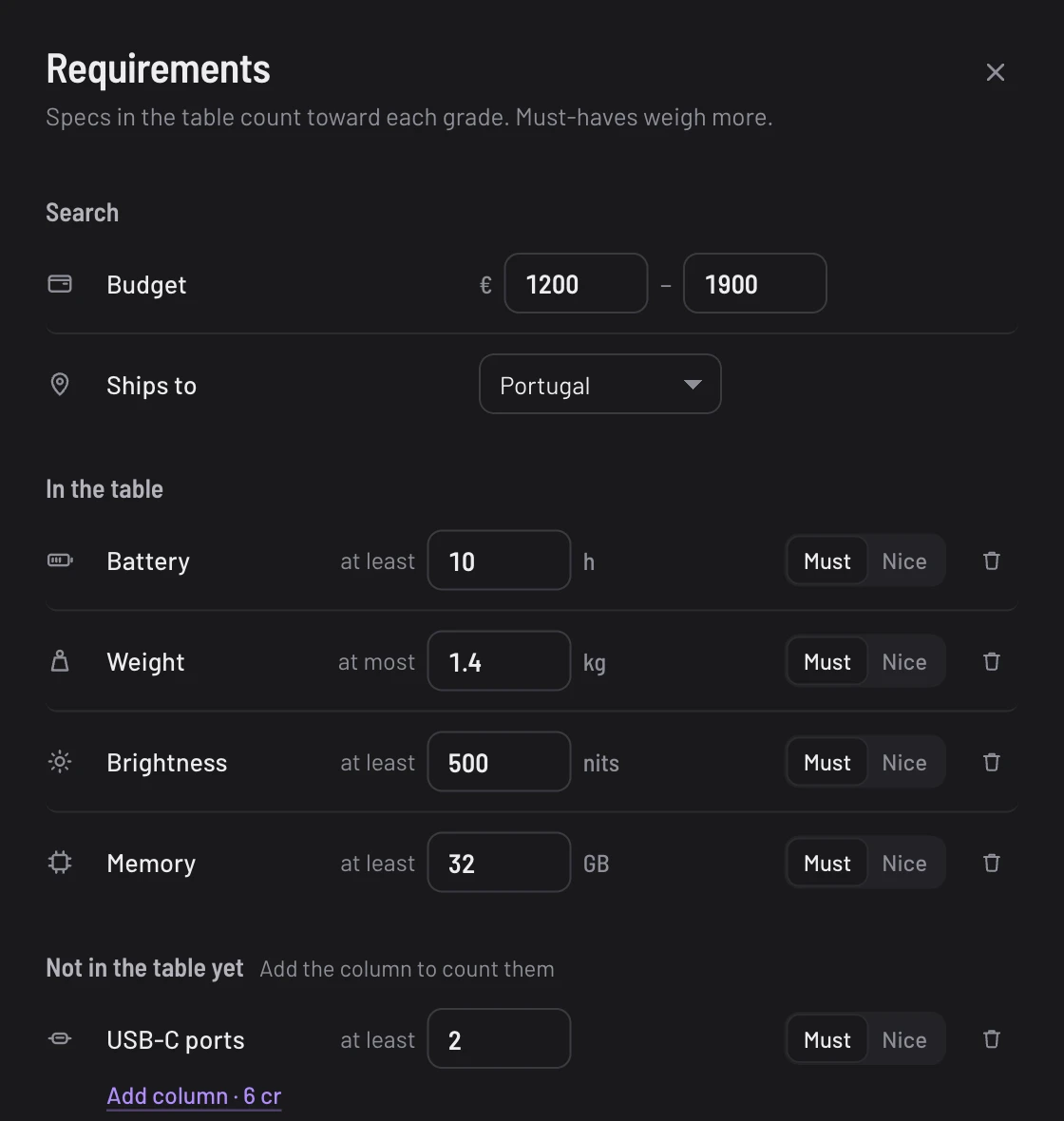
Start with what you won't compromise on
Budget, where it ships, battery life, weight: whatever matters for this purchase. Mark each one a must-have or a nice-to-have. Change one later and the ranking follows.
-
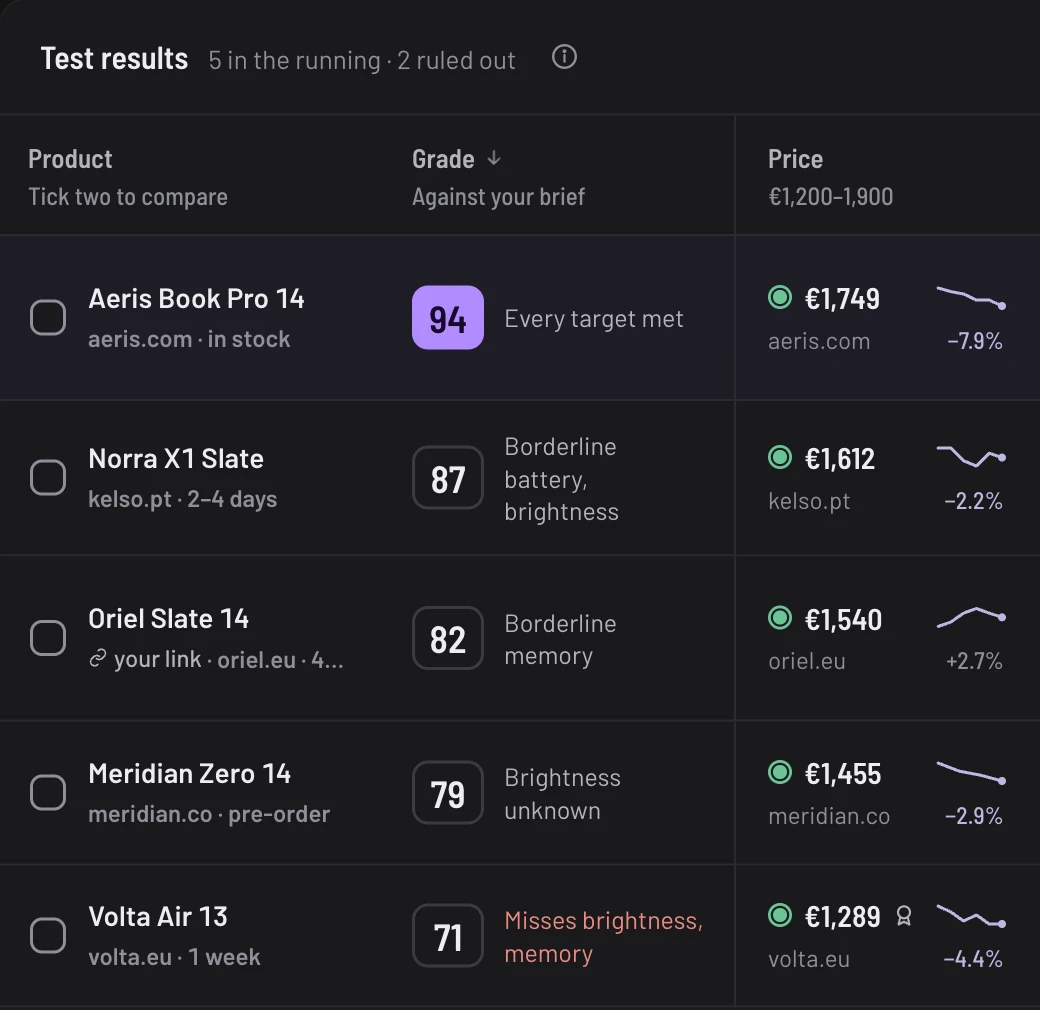
Scores you can argue with
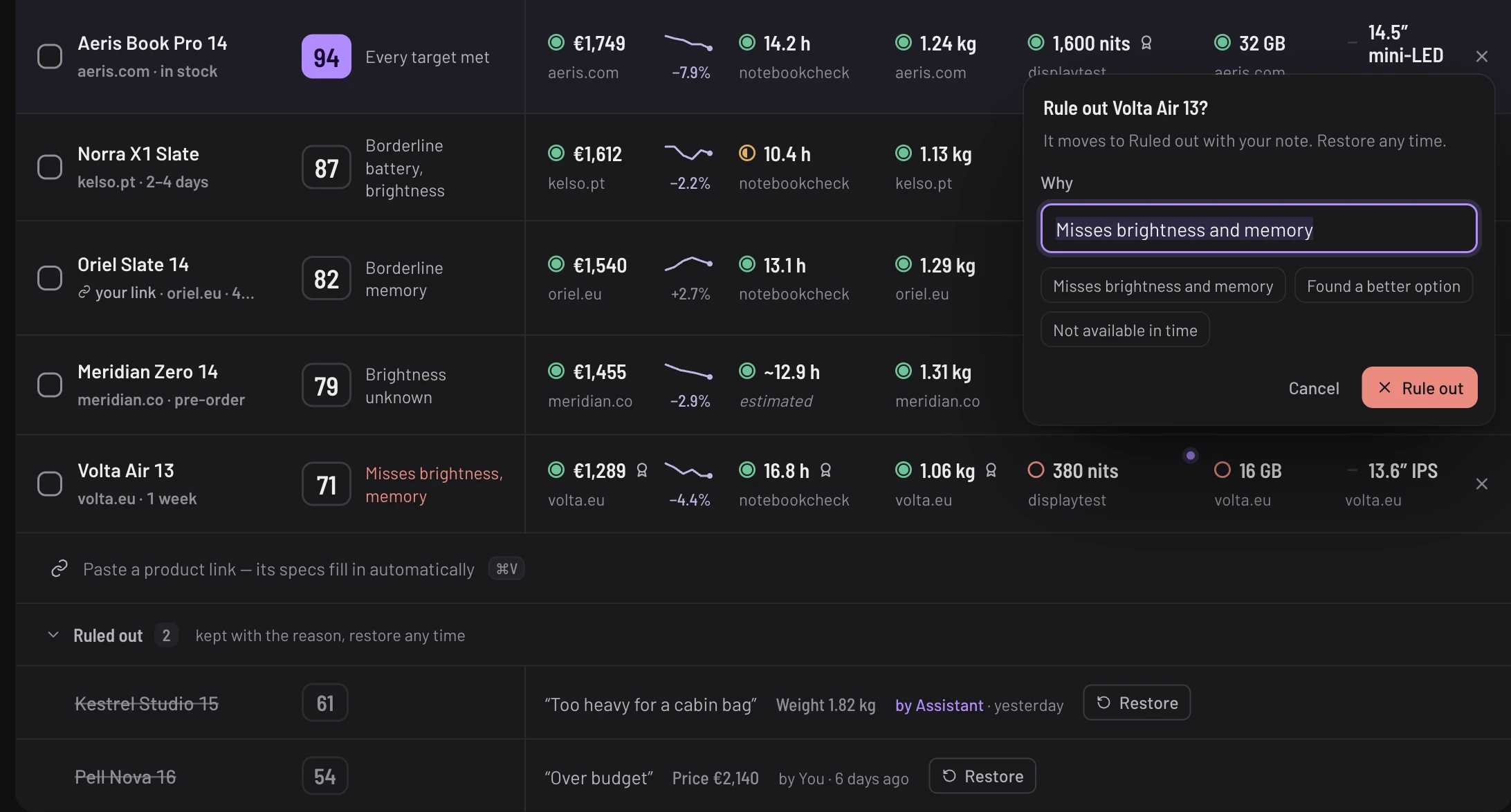
Every score comes with its reasons: the targets it met, the ones it only just met and the ones it missed. You'll know exactly why the 87 lost to the 94.
-
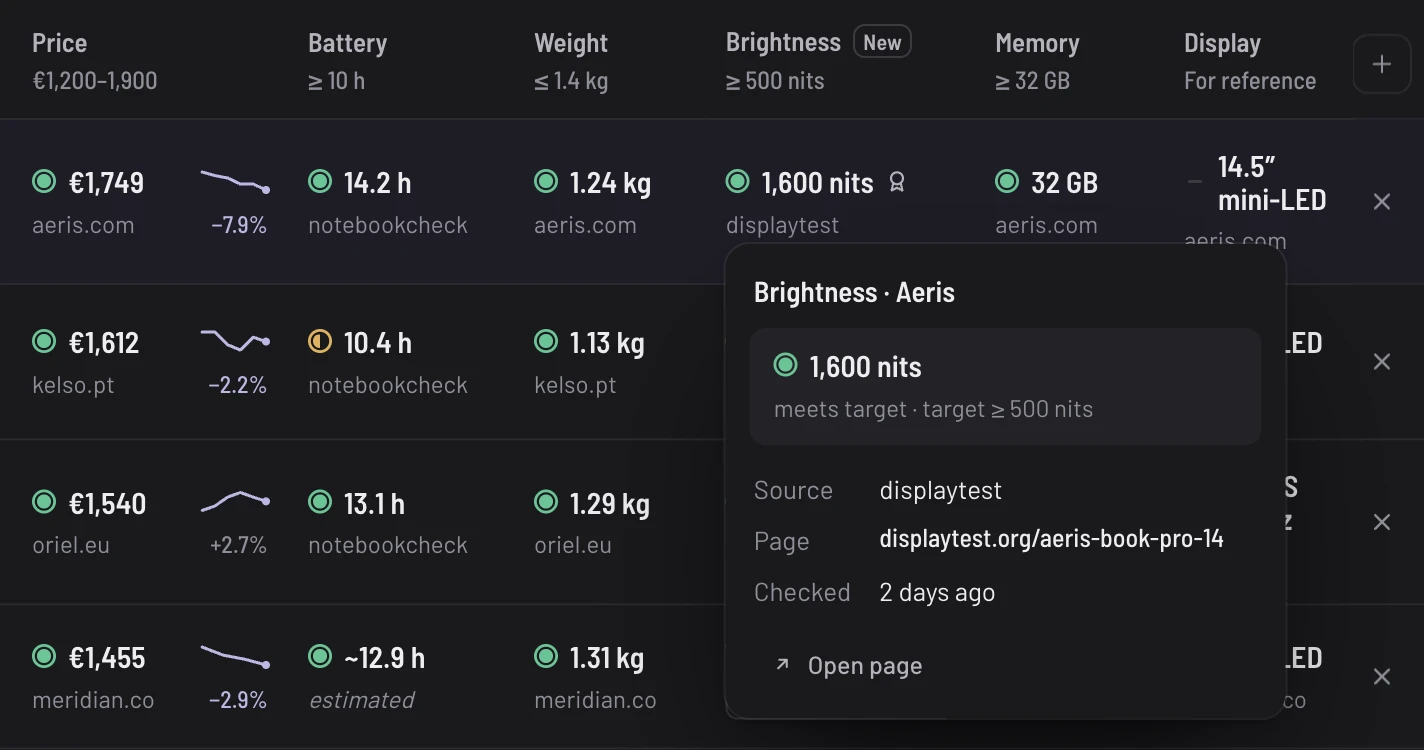
Every number shows where it came from
A spec without a source is a guess. Open any value to see the page it came from and when it was last checked, and estimates are labelled as estimates. Check the one number your decision hangs on.
-
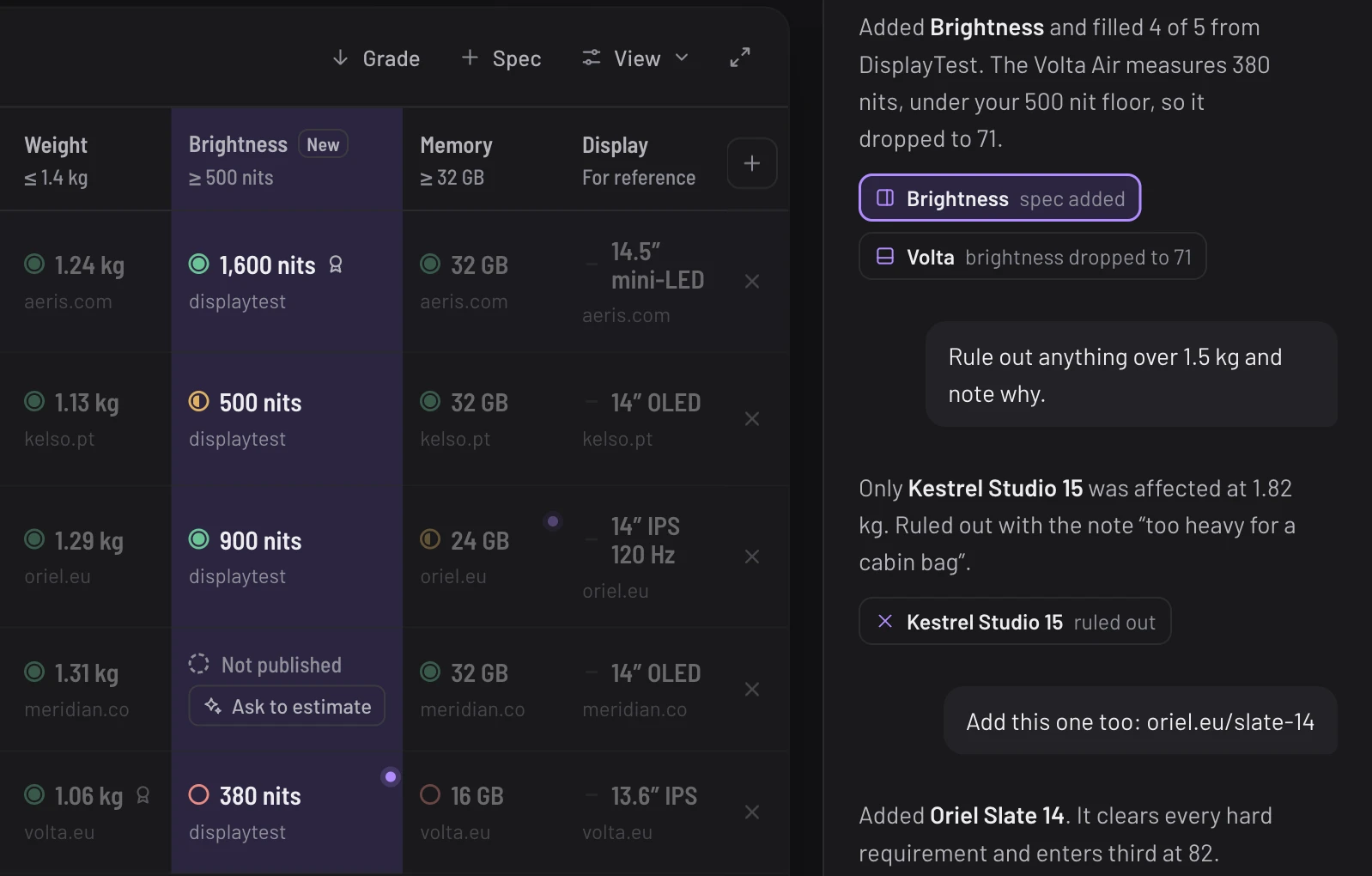
Ask, and the table changes
Ask it to compare screen brightness, or paste a link to a laptop you spotted. The AI assistant adds it to the table, lists what it changed under its reply and lights up the cells it touched.
-
Cross it off, keep the reason
Narrow the list without forgetting why. Ruled-out products move below the table with your note, too heavy or over budget, and come back with one click if you change your mind.
What should we build first?
Vote for whatever would have helped on the last thing you bought. No sign-up needed, and you can take a vote back.
Missing something? Suggest it below
What would make you close the tabs for good?
The spec you always end up checking by hand, the category nothing compares properly, the part of buying that drives you up the wall. Notes go straight to the person building Comparagon.
Note sent. Thank you.
Every note gets read.
Before you open another tab
Join the waitlist and we'll email you when it's ready.
Join the waitlist